Import Products from Other Platforms into EasyBazaar
Moving products from another marketplace? EasyBazaar makes it easier to transfer product information using supported XLSX files so you can start selling faster.
Why Use Product Import?
Many sellers have dozens or even hundreds of products listed elsewhere. Recreating every product manually can take hours or even days. EasyBazaar Product Import helps you move data from supported XLSX files so you can spend less time on repetitive work and more time selling.
Instead of creating products one-by-one, import your entire catalog at once and complete your setup significantly faster.
What Information Is Imported?
| Information | Status |
|---|---|
| Product Name | ✅ Automatic |
| Product Images | ✅ Automatic |
| Description | ✅ Automatic |
| Highlights | ✅ Automatic |
| Category | ⚠ Manual Review |
| Pricing | ⚠ Manual Review |
| Variants/Attributes | ⚠ Manual Review |
Before You Start
- You must have a valid EasyBazaar Seller Account.
- Your file must be in XLSX format.
- Ensure your file follows the supported product structure.
Step-by-Step Guide
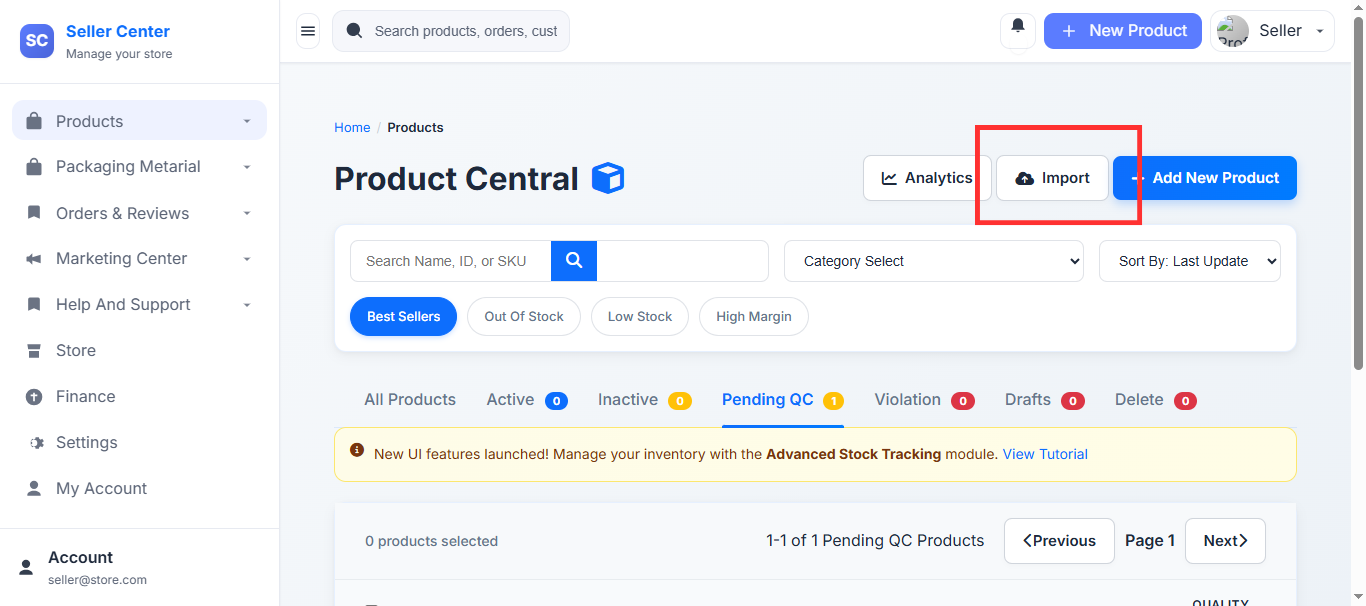
Step 1: Navigate to Import
Log in to your Manage Products page and click "Import From Other Platform".
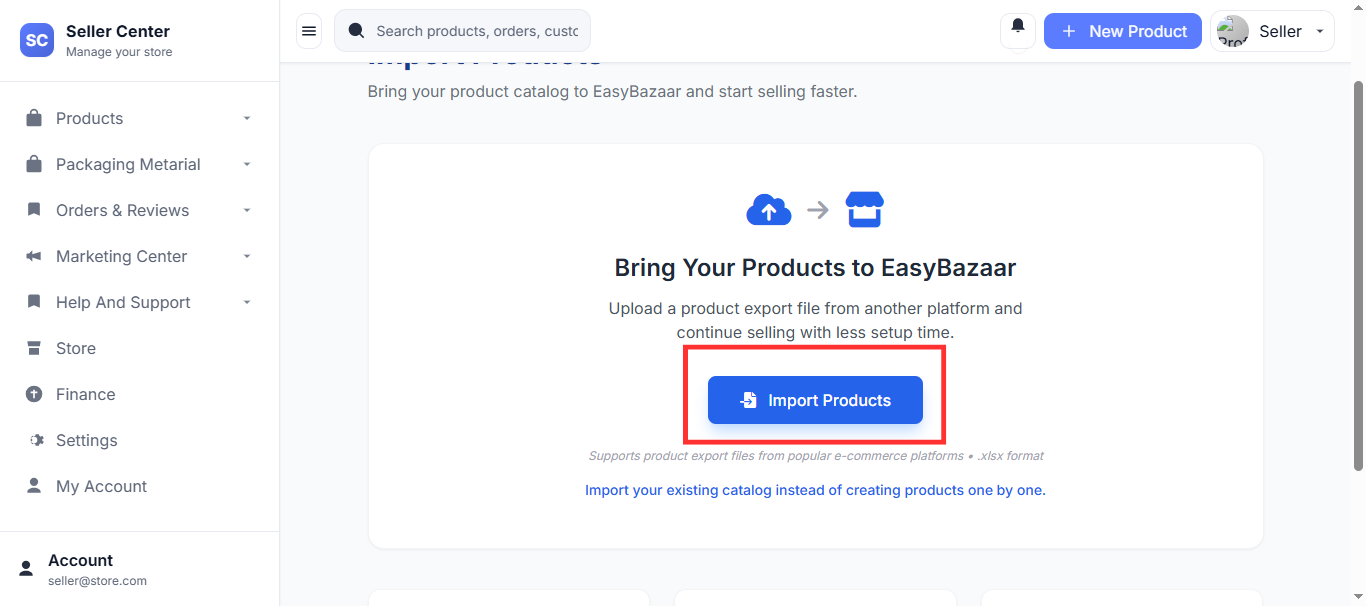
Step 2: Upload File
Select your XLSX file to start the automated processing.
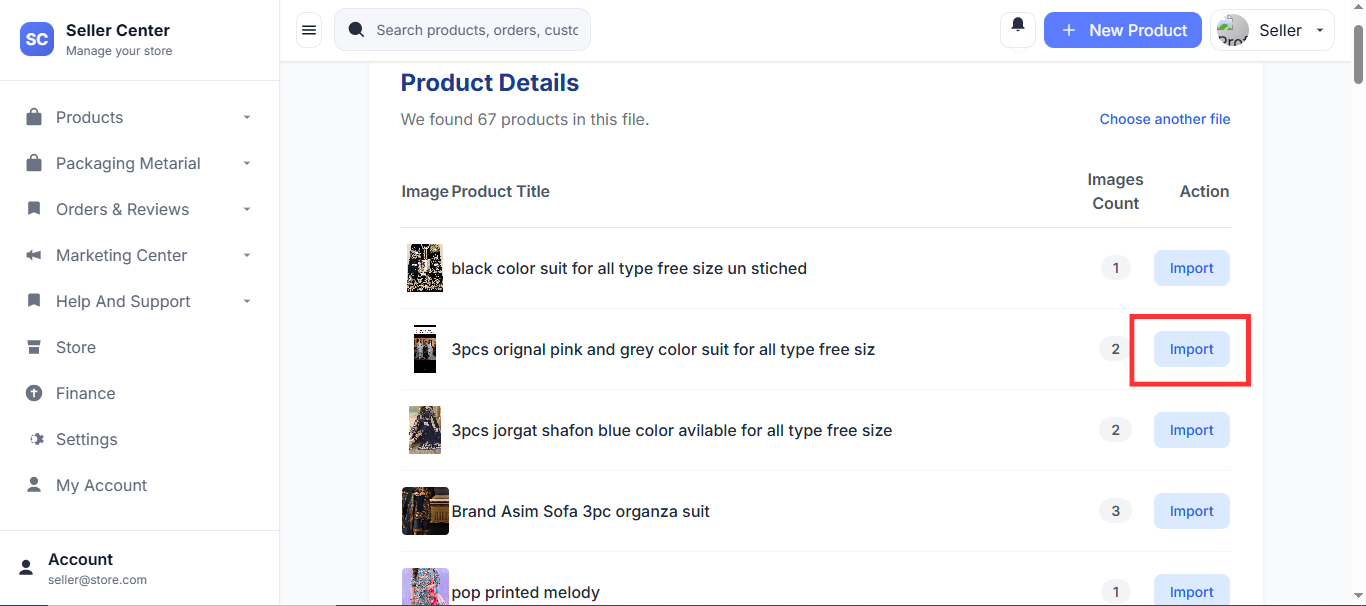
Step 3: Review and Publish
Once processed, review your products and finalize details to publish.
Frequently Asked Questions
Can I import multiple products at once?
Yes, all supported products inside the XLSX file can be imported together.
Will categories be imported automatically?
Categories may require manual verification to ensure they appear in the correct section.
Which file formats are supported?
Currently, we only support XLSX files. CSV, PDF, or DOCX are not supported.
Ready to Move Your Products?
Upload your XLSX file and start importing products into EasyBazaar today.